Planning guide for office moves in Pune and PCMCOffice relocation enquiries: +91 7898984004 / +91 9572724004
Informational Planning Guide

Office Relocation Checklist for Pune

Use this checklist to organise an office move before packing begins. It covers project ownership, inventory, employees, IT, files, building access, labels, move-day control, destination readiness, billing records and post-move handover without replacing the written quotation or the main Office Relocation service page.
Project controlOne owner and written decisions
Operational planningInventory, access, IT and labels
Move closeoutHandover, records and open items
Important: office relocation is not planned by workstation count alone. Share the actual inventory, floors, building rules, move window, IT boundaries, packing, vehicle, destination zones and specialist requirements.
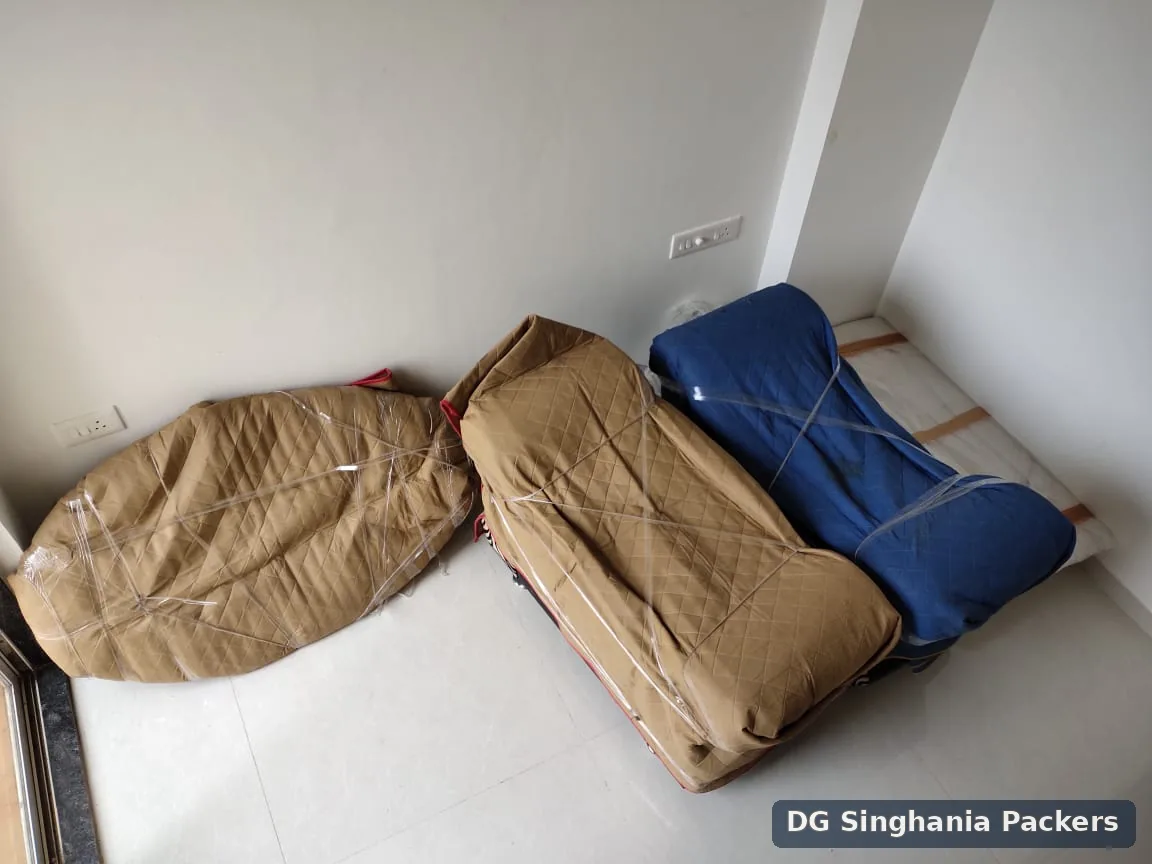
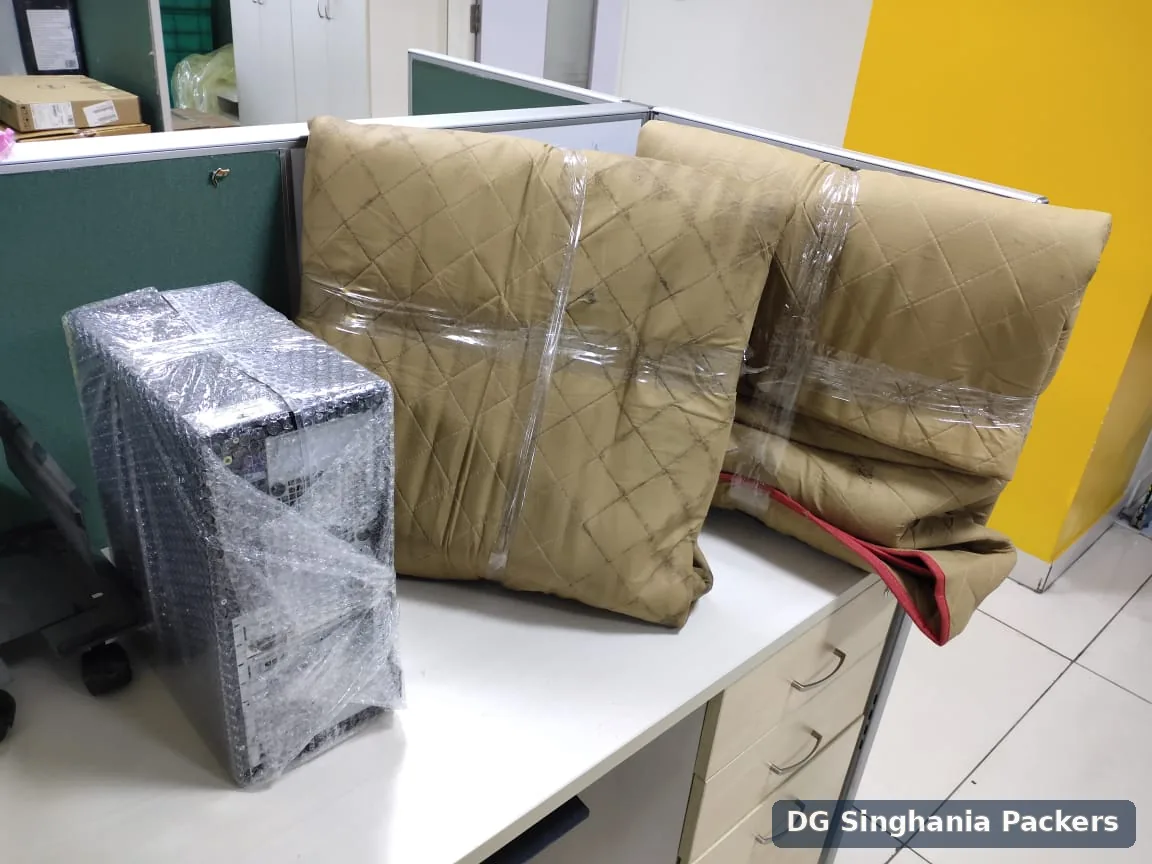
Office seating and furniture wrapped for relocation in PuneComputer equipment and office chair components packed for office shifting in Pune
Use the checklist with the service scopeThe checklist helps the business prepare. The Office Relocation quotation controls the physical packing, handling, transport and placement actually included.
Guide rolePlanning support, not a duplicate service page
Primary parentOffice Relocation Pune
Business ownerOne authorised project lead
IT boundaryShutdown and reconnection not automatic
CoveragePune and PCMC office moves
GSTIN06AAZFD6319E1Z6
How to Use This Checklist

Maintain one master version with owners and due dates

A useful checklist is a working control document. Each item should have an owner, target date, status, evidence or decision note and an escalation route.

Project owner

Maintains the master plan, resolves conflicts, confirms scope changes and acts as the main authorised contact.

Department representatives

Confirm employees, workstations, files, assets, destination zones and open-first requirements.

Facility and security contacts

Confirm entry, lift, loading bay, parking, permits, protection and move-window requirements.

Moving and specialist vendors

Deliver only the written scope assigned to them and report changes or constraints to the project owner.

Checklist rule: do not mark a task complete because it was discussed. Record the confirmed decision, responsible person and any supporting document or contact.
Office Move Timeline

Plan by phase rather than leaving every task for the final week

The exact lead time depends on office size, building rules, IT work, vendors and the need for phased or restricted-hour movement.

Phase 1

Decision and ownership

  • Name the authorised project owner
  • Confirm origin and destination premises
  • Set business constraints and target dates
  • Identify departments and decision makers
  • Define how changes will be authorised
Phase 2

Inventory and survey details

  • Record workstations, furniture and files
  • Identify selected corporate IT assets
  • List appliances and special equipment
  • Photograph bulky or fragile goods
  • Confirm items that will not move
Phase 3

Building and vendor planning

  • Confirm entry and loading-bay rules
  • Book service lifts and move windows
  • Define IT, technician and carpentry roles
  • Confirm packing and labelling method
  • Request the written relocation quote
Phase 4

Employee communication

  • Issue desk-packing instructions
  • Share label and carton rules
  • Set deadlines for personal items
  • Identify first-day operational needs
  • Publish move-day contact information
Phase 5

Final readiness

  • Freeze or record final inventory changes
  • Confirm access, lifts, bays and keys
  • Check destination zones and room labels
  • Verify IT shutdown and backup readiness
  • Confirm crew, vehicle and contacts
Phase 6

Move day and closeout

  • Control access and instruction changes
  • Track open-first and sensitive goods
  • Record visible condition concerns
  • Confirm destination placement
  • Maintain a post-move open-items list
Responsibility Matrix

Separate business, mover and specialist responsibilities

Unclear responsibility is a common source of delay. Use the written quotation and vendor instructions to replace assumptions.

TaskBusiness / project ownerMoving teamSpecialist or third party
Inventory and keep/dispose decisionsOwn and confirmUse the supplied listDisposal provider if separately appointed
Packing and labelsProvide destination logic and exceptionsComplete written packing scopeCustom crate supplier when separately required
IT shutdown and data backupOwn and authoriseHandle only accepted packed assetsCompany IT or qualified provider
Building permissionsArrange and confirmFollow the confirmed rulesLandlord, society or facility management
Vehicle and physical transportConfirm access and timingProvide written vehicle/transport scopeCarrier where separately arranged
Furniture dismantlingIdentify items and restrictionsOnly suitable work written in scopeCarpenter or manufacturer when necessary
Invoice and PO processProvide accurate billing instructionsIssue available records for the transactionProcurement or accounts team
Inventory Checklist

Build an inventory that supports packing, vehicle and destination planning

A generic “20 workstations” description may miss files, storage, screens, loose chairs, meeting rooms, pantry goods and special equipment.

Workstations

  • Desk, pedestal and chair count
  • Partitions and detachable panels
  • Screens and monitor arms
  • Employee or destination code

Files and records

  • Open shelves and cabinets
  • Archive cartons
  • Confidential or restricted files
  • Retention or destruction decisions

Meeting and common areas

  • Tables, chairs and screens
  • Reception and waiting furniture
  • Whiteboards and wall-fixed items
  • Open-first meeting requirements

Pantry and appliances

  • Refrigerators and microwaves
  • Water dispensers and loose utensils
  • Food, liquids and perishables
  • Technician or plumbing requirement

IT and electronics

  • Selected inventoried corporate assets
  • Cables, adapters and accessories
  • Servers, racks or network equipment
  • Original packaging availability

Special equipment

  • Safes, machines and heavy units
  • UPS, batteries or restricted goods
  • Weight, dimensions and access
  • Manufacturer or specialist instructions

Items not moving

  • Disposal, sale or landlord retention
  • Leased equipment
  • Employee personal property
  • Items remaining for later phases

Destination mapping

  • Floor and department
  • Room or zone code
  • Workstation or employee code
  • Open-first priority
IT and Data Checklist

Keep technical responsibility with authorised IT personnel

The moving team can physically handle selected inventoried assets that are prepared and accepted in writing. Business continuity and technical readiness remain separate.

Before physical handling

  • Complete backups and shutdown
  • Remove or secure sensitive media
  • Label asset, user and destination
  • Group confirmed accessories and cables
  • Record visible condition

Not automatic moving work

  • Data backup and cybersecurity
  • Network design and configuration
  • Server shutdown and restart
  • Software, testing and troubleshooting
  • Passwords and access credentials
IT boundary: personal laptops, removable drives, confidential records and sensitive data devices should remain under authorised company or employee control unless specifically inventoried and accepted.
Packing and Labelling Checklist

Use one label system from packing through destination placement

Labels should help the team place goods without exposing confidential content or forcing move-day decisions.

Core label fields

  • Department or team code
  • Employee or workstation code
  • Destination floor and zone
  • Carton or asset number

Priority labels

  • Open first
  • Do not stack
  • Fragile or orientation note
  • Keep with authorised contact

Confidential files

  • Use controlled codes
  • Seal according to company process
  • Record authorised custody
  • Avoid descriptive external labels

Loose components

  • Hardware and keys
  • Remotes and adapters
  • Cables and mounting parts
  • Destination-owner identification

For the underlying physical packing scope, use the Packing and Unpacking Services in Pune page rather than turning the checklist into a packing-service substitute.

Building Access Checklist

Confirm both the current and destination premises

Commercial buildings may require advance vehicle details, loading-bay slots, security lists, lift protection and restricted work hours.

Gate and security

  • Crew identification
  • Vehicle entry list
  • Access cards and escorts
  • Restricted goods or areas

Service lift

  • Dimensions and load limit
  • Booked slot and floor coverage
  • Wall and floor protection
  • Shared-use restrictions

Loading bay and parking

  • Vehicle size and height
  • Bay location and queue
  • Carrying distance
  • Waiting and access window

Restricted hours

  • Weekend or night access
  • Noise restrictions
  • Lift blackout periods
  • Overtime or security requirements
Destination Readiness Checklist

Prepare the new office before the first carton or workstation arrives

Destination readiness is more than having keys. The new premises should have usable access, confirmed zones, clear placement instructions and the specialist teams needed for the first operational day.

Space and floor plan

  • Department zones are marked
  • Workstation positions are confirmed
  • Meeting and common areas are identified
  • Temporary staging space is available

Utilities and technical readiness

  • Power and lighting are available
  • Network and access systems are tested
  • IT and specialist teams have entry
  • Technical defects are recorded separately

Access and safety

  • Loading route is clear
  • Service lift and bay are booked
  • Emergency routes remain unobstructed
  • Building protection requirements are ready

Placement control

  • Zone labels match carton labels
  • Open-first items have a receiving owner
  • Items awaiting IT or carpentry have a staging zone
  • Unresolved goods are not placed randomly
Destination rule: do not use the moving crew as a substitute for incomplete space planning. Repeated repositioning, waiting for floor-plan decisions or moving goods to a different floor can require a written scope review.
Risk and Exception Register

Record constraints before they become move-day surprises

A simple risk register helps the project owner distinguish a known constraint from an unexpected event. Each item should have an owner, mitigation, decision deadline and fallback plan.

Access risks

Examples include an unbooked service lift, restricted loading bay, narrow corridor, basement height limit, long carry or missing vehicle permission.

Inventory risks

Examples include unlisted furniture, weak cartons, repaired glass, oversized items, leased equipment or goods that need specialist dismantling.

IT and operational risks

Examples include incomplete backups, unavailable IT staff, delayed network readiness, missing access cards or unresolved first-day priorities.

Schedule and vendor risks

Examples include a missed move window, delayed vehicle, unavailable carpenter, changing building rules or an absent destination receiver.

Exception rule: when a risk becomes real, record the change, operational effect, responsible decision maker and any impact on labour, vehicle, timing or cost before proceeding.
Employee Communication Checklist

Give employees one set of instructions and one source of truth

Mixed messages can create unlabelled goods, forgotten personal items and conflicting placement requests. The project owner should issue one written communication plan.

What employees should know

  • Final desk-packing deadline
  • What the company will pack
  • What employees must keep with them
  • Who answers move-related questions

Personal items

  • Remove valuables and medicines
  • Keep personal laptops and sensitive devices controlled
  • Do not leave unlisted items in drawers
  • Follow the company’s disposal rules

Labelling and destination

  • Use the published label format
  • Confirm employee or workstation code
  • Identify open-first items
  • Report destination changes before packing

First operational day

  • Share reporting location and access
  • Explain temporary seating or phased readiness
  • Identify IT support channels
  • Publish the process for missing or misplaced items
Move-Day Command Checklist

Use one control point for access, changes and exceptions

The project owner should know who can approve a change and where unresolved goods or issues will be recorded.

Start-of-day check

  • Authorised contacts present
  • Lifts, bays and keys available
  • Final scope and priority list ready
  • Restricted areas communicated

Loading control

  • Track open-first goods
  • Record visible condition concerns
  • Confirm excluded or held-back items
  • Resolve added goods in writing

Destination control

  • Zone labels visible
  • Department contacts available
  • IT and specialist teams ready
  • Placement instructions consistent

End-of-day closeout

  • Review open items
  • Record visible concerns
  • Retain change and handover notes
  • Confirm next-phase responsibilities
Budget and Quote Checklist

Compare written scope instead of only the headline total

Office quotations may differ because they include different inventories, packing levels, access assumptions and specialist boundaries.

Confirm in the quotation

  • Inventory and workstation assumptions
  • Packing material and labels
  • Labour, vehicle and move window
  • Floors, lift, parking and long carry
  • Unpacking, placement and debris scope

Confirm separately

  • IT shutdown and reconnection
  • Server, rack or custom-crate work
  • Carpentry and specialist installation
  • Waiting, storage and phased returns
  • GST and payment terms
Budget reference: review the Pune Moving Charges Guide, then compare it with the office inventory, building access and written scope. Indicative ranges do not replace the office quotation.
Pune and PCMC Planning Context

Apply the checklist to the actual office corridor and building

The guide supports office moves across verified Pune and PCMC addresses. The building’s own access and facility rules remain more important than a generic locality description.

Moshi and PCMC-side offices

Confirm industrial, commercial or mixed-use access, vehicle position and building timings.

Hinjawadi and west Pune

Plan around office-park entry, loading bays, security checks and employee traffic windows.

Kharadi, Viman Nagar and Hadapsar

Confirm commercial-building access, basement limits and destination-zone readiness.

Central and established Pune

Allow for narrower access, parking distance, restricted hours and mixed-use buildings where applicable.

Related Pune Pages

Use the checklist with the correct commercial parent and supporting services

The guide should send planning authority and enquiries back to the relevant service page.

Office Relocation Pune

The primary commercial page for physical office packing, handling, transport and destination placement.

View Office Relocation →

Corporate Relocation Pune

Use this for employee household transfers, HR coordination and corporate billing rather than office premises.

View Corporate Relocation →

Packing and Unpacking Pune

Use this when the main requirement is packing-only, office labels, fragile protection or unpacking support.

View Packing and Unpacking →

Loading and Unloading Pune

Use this for labour-only handling when goods, vehicle and transport responsibilities are separately arranged.

View Loading and Unloading →
Office Relocation Project Gallery

Packing, equipment and loading evidence from Pune projects

The images support office-relocation planning categories. They do not show every possible office asset, building condition or specialist requirement.
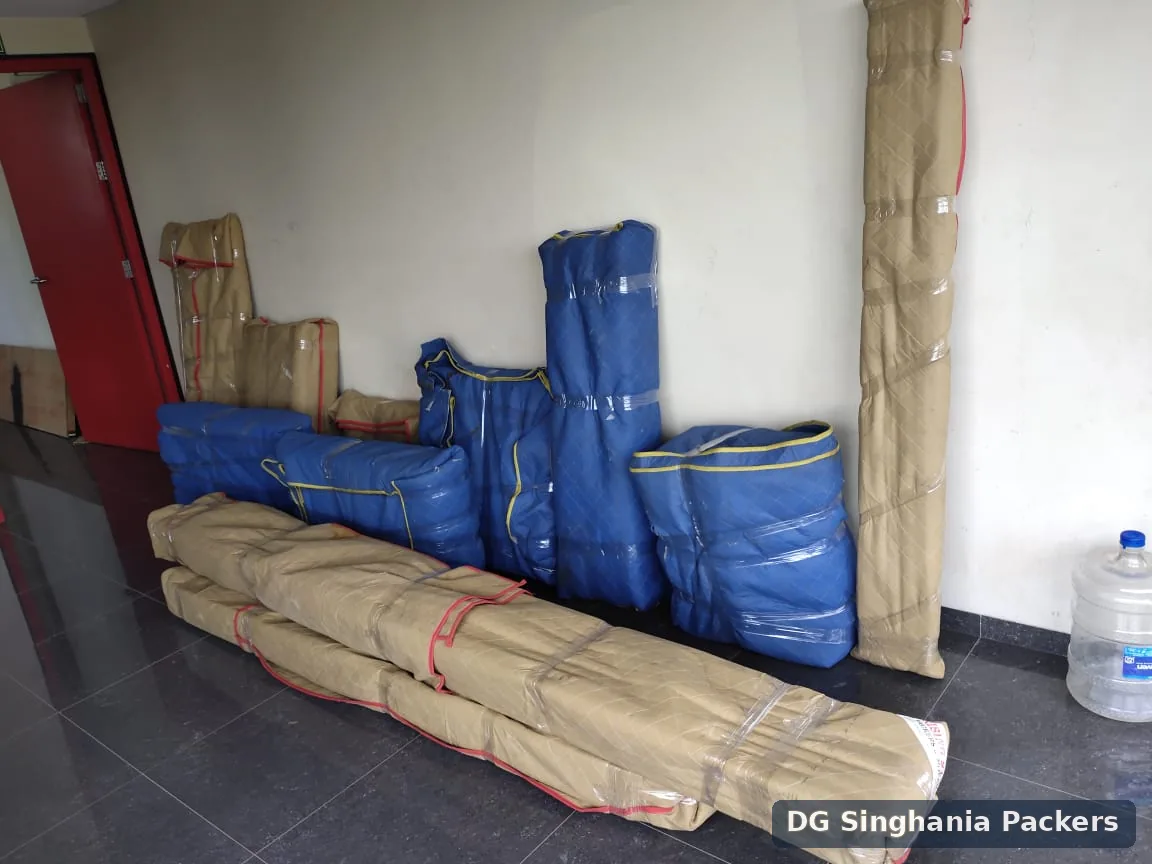

Office seating and furniture wrapped for relocation in Pune
Office seating and furniture protected for relocation in Pune.
Computer equipment and office chair components packed for office shifting in Pune
Computer equipment and office chair components prepared for movement.
Furniture packed in protective covers for local shifting in Pune
Furniture packed in protective covers before local shifting.
Moving crew loading packed household goods into a truck in Pune
Packed goods being loaded into a moving truck in Pune.
Covered goods transport truck used for shifting services in Pune
Covered goods transport truck used during Pune shifting operations.
Sofas, chairs and tables wrapped for intercity relocation in Pune
Furniture protected for longer-distance relocation.
Office Relocation Planning Enquiry

Share the inventory, buildings, move window and specialist boundaries

The checklist helps organise the request; the written quotation controls the actual service and final documented responsibilities.

Request a Written Office Relocation Quote

Include workstation count, files, furniture, selected IT assets, floors, lifts, loading bays, move window and destination zones.

Send Details on WhatsApp

Submitting the form does not confirm availability, a booking, price or downtime outcome. Review the Pune Shifting Charges Guide and the applicable Terms and Conditions.

Office Relocation Checklist FAQs

Questions about timelines, ownership, IT, labels and building access

The visible answers match the FAQPage structured data embedded on this guide.

When should an office relocation checklist begin?

Begin as early as practical after the destination, business decision and authorised project owner are known. Larger offices, restricted buildings, IT work and phased moves require more lead time.

Who should own the office relocation checklist?

One authorised project owner should maintain the master checklist, decisions, inventory, contact list and change record. Department representatives can own assigned tasks.

What should be included in the office inventory?

Record furniture, workstations, files, selected corporate IT assets, appliances, storage units, fragile items, dismantling needs, destination zones and items that will not move.

Does the moving company handle IT shutdown and reconnection?

Not automatically. Data backup, shutdown, server or network work, reconnection, testing and access credentials should remain with the company or qualified IT provider unless expressly written.

How should office boxes be labelled?

Use a consistent code for department, employee or workstation, destination zone, carton number, priority and handling notes. Avoid placing confidential content details on the outside.

Who arranges building permissions?

The business or authorised facility contact should confirm gate entry, loading bay, service lift, move window, security deposits, identification and common-area requirements unless another responsibility is expressly written.

Should employees pack their own desks?

The company should define a uniform policy. Employees may pack personal or low-risk desk items, while sensitive records, IT assets and special equipment should follow controlled procedures.

What belongs in an open-first plan?

Include essential files, network components, selected workstations, reception items, access cards, basic supplies, meeting-room needs and any item required for the first operational day.

How should confidential documents be handled?

The company should classify, seal, authorise and retain custody records for confidential documents. The mover should not decide retention, destruction or access permissions.

How are office relocation charges estimated?

Pricing depends on inventory, workstations, packing, access, move window, labour, vehicle, IT or specialist boundaries, waiting and destination placement. Use a written scope rather than a workstation count alone.

Is a downtime guarantee included?

No downtime guarantee is implied. Operational continuity depends on business decisions, IT readiness, access, sequencing, third-party vendors and the written move scope.

How are damage concerns reviewed?

Claim review is available for damage caused during our handling. Review may consider item condition, packing responsibility, inventory records, photographs, access and handover evidence.

Move from Checklist to Written Scope

Use the Office Relocation service page for the commercial move

Share the final inventory, building conditions, move window, packing, IT boundaries and destination zones.